Lovable to WordPress: What Migrates and What Needs Rebuilding
Moving a Lovable website to WordPress can mean rebuilding a marketing frontend, retaining an existing application backend, or replacing the whole application. Decide which outcome you need before requesting a quote. An exported React project does not become an editable Elementor page automatically. Reviewed 29 October 2026. This guide uses the public Seabreeze demonstration for a bounded frontend example and current Lovable documentation for platform capabilities. No private source export, database or production booking transaction was inspected for that example.
What can move, and what needs rebuilding
First identify the actual project. Lovable’s current documentation supports code export and Git sync. Its June 2026 engineering announcement describes a move from React/Vite single-page apps to TanStack Start for new projects, including server rendering and server functions. Inspect your repository and deployment before deciding which parts can be replaced. Do not assume every Lovable website has the same architecture or that WordPress is automatically faster or better for search.
Content and presentation
Approved copy, licensed images, page order and visual references can guide an Elementor rebuild. The developer recreates headings, buttons, images and reusable styles as editor controls. React components, CSS utility classes and application state need deliberate mapping. Agree which content must be editable and demonstrate that requirement in the WordPress editor.
Data, accounts and business logic
A database, authentication provider, storage bucket, server function, payment integration or external API is a separate workstream. Retaining an existing backend may be appropriate; replacing it requires a data model, permissions, migration and workflow tests. Keep secrets on the server and give access privately through the agreed provider. A copied screen does not migrate customer accounts or orders.
URLs and search behavior
Inventory current URLs, page titles, canonicals, indexability and internal links. Keep useful URLs where possible. Map changed URLs to relevant permanent redirects, then verify actual responses and sitemap entries. Search Console checks after launch are a separate acceptance step. A visual rebuild alone provides no ranking guarantee.
Connecting WordPress is different from rebuilding in Elementor
Lovable documents a WordPress.com connector that lets an app read and manage CMS content while the app controls presentation. That can support a headless content workflow. It does not establish that the existing interface has become native Elementor widgets. Decide whether you need WordPress-managed content, a visually editable Elementor frontend, or both. Ask to change a heading and image in the intended editor, then verify the published result. The Seabreeze example below demonstrates native editing within its stated frontend scope.
A practical example and migration checklist
A booking button is not a booking system
In the public Seabreeze source checked on 28 October 2026, “Book Now” leads to #pricing and reservation package links lead to #contact. That is observable navigation. It does not establish availability checks, payment handling or a confirmed reservation. A quote should list those workflows separately if they are required.
The WordPress demonstration supplies frontend and editor evidence. Its hero H1 is a native Elementor Heading widget in classic sections and columns. The mobile viewport check at 390 px found no horizontal overflow, with a 375 px document/client width after the scrollbar. These observations have a narrower scope than a full application migration.
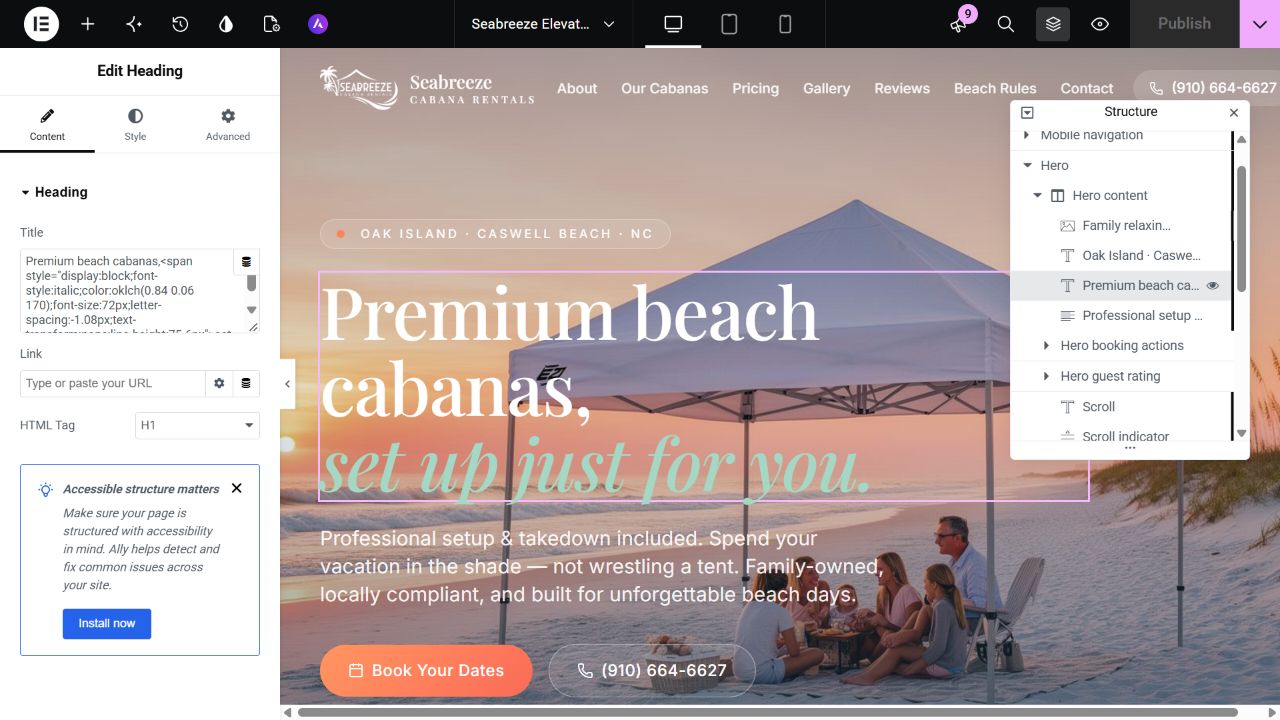
Genuine editor evidence for the independent Seabreeze frontend demonstration. It does not document backend migration.
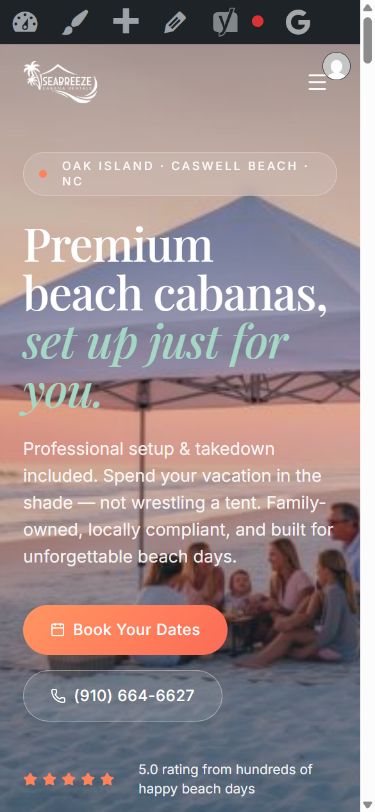
Mobile layout capture from an administrator preview, 28 October 2026.
What to send for a useful quotation
- Your public site or view-only project link, plus permission to use the design and assets.
- A page and route list, including forms, menus, popups and responsive variants.
- A list of backend services and the workflows that must keep working.
- The content that your team must edit in Elementor after handover.
- Hosting constraints, current URLs to preserve and your intended launch window.
Request an itemized scope covering presentation, integration, data migration, redirects, responsive checks and handover. Ask how revisions and out-of-scope discoveries are handled. Price and delivery timing should follow that review.
When retaining React may fit better
If the core product depends on complex authenticated screens, live state or application-specific server functions, keeping the React application and moving only marketing content may avoid an unnecessary rebuild. Compare ongoing editing needs with the cost of replacing application behavior. Elementor is a content-editing choice, not a substitute for the application requirements.
References and demonstration
Platform references: Lovable code export and GitHub sync, deployment and ownership options, and Lovable’s TanStack Start announcement. The original technical observations are documented in the Seabreeze case study.
Have a design you need built?
Share your public source link and the workflows you need to keep. Review Lovable-to-Elementor development or compare React-to-WordPress options, then request a scope review.