WordPress & Elementor Development Resources

Implementation guides for turning supplied designs and frontends into maintainable CMS websites. Choose the workflow that matches your source.

Lovable to WordPress: what migrates?

Separate editable page content from application data, accounts and booking behavior. This buyer guide uses the genuine Seabreeze frontend and editor evidence, with current platform references.

Read the Lovable migration scope guide
How to Convert Figma to WordPress Elementor

A practical Figma-to-Elementor workflow covering design inspection, editable widgets, responsive behavior, visual comparison and handover.

Read the guide

How to Build Fully Editable Elementor Templates

Define editability, use native widgets, manage shared styles and verify the owner’s editing workflow before Elementor handover.

Read the guide

Figma to Elementor Responsive Breakpoints Explained

Plan responsive Elementor layouts from Figma screens, choose justified breakpoints and verify the widths between design frames.

Read the guide

React to WordPress Migration: An SEO Checklist

Plan React-to-WordPress migration with URL mapping, redirects, metadata, crawlable content and live checks. Rankings cannot be guaranteed.

Read the guide

Have a design you need built?

Send the source design, website URL and required functionality. Scope and turnaround are confirmed after review.

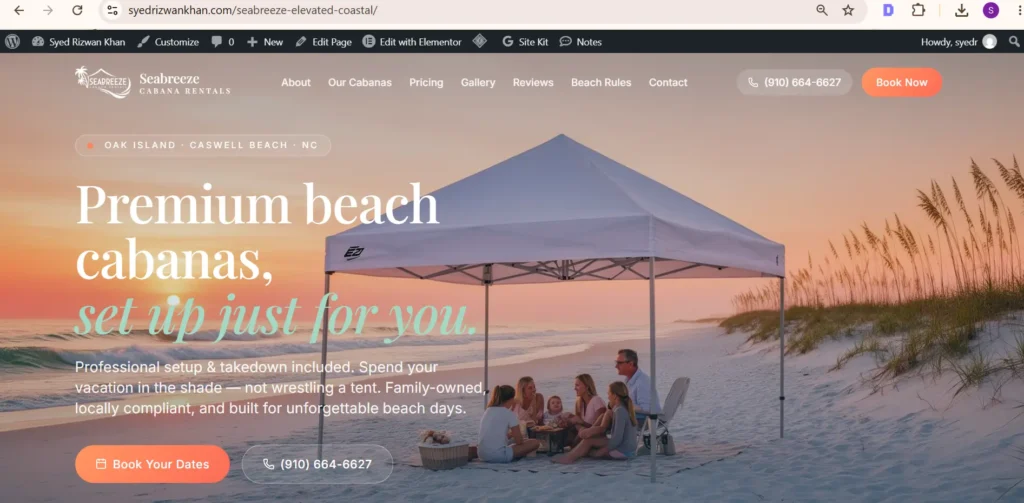
Seabreeze WordPress Elementor recreation with the matching beach cabana hero and booking buttons
Seabreeze frontend reconstruction demonstration — a React/Lovable interface rebuilt in WordPress; shown as a demonstration, not a commissioned Figma project.
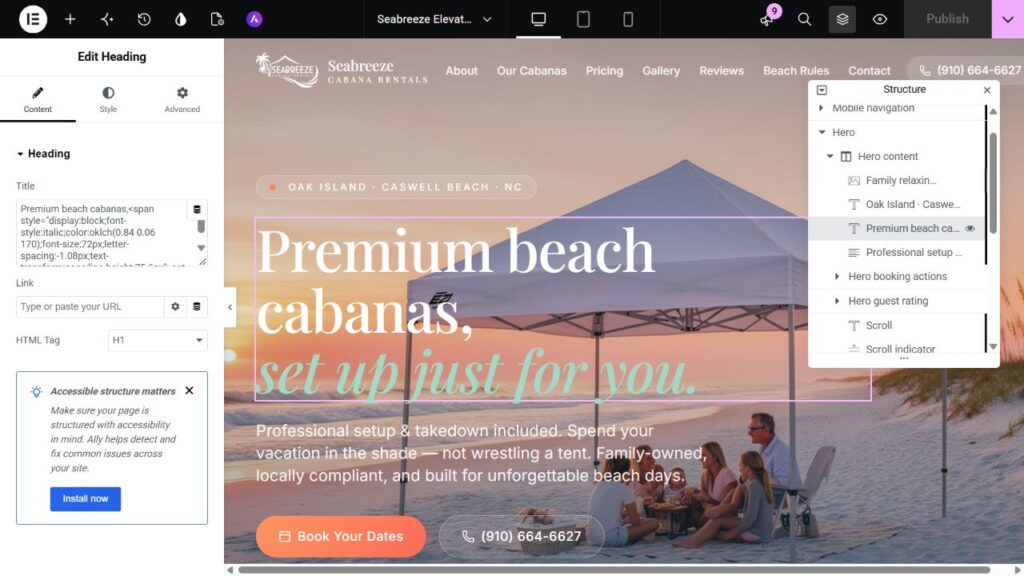
Seabreeze homepage open in Elementor, showing the editable hero H1 and classic section, column and widget hierarchy.
Genuine Elementor editor capture: the Seabreeze hero H1 is a native Heading widget in classic sections and columns. Visual matching and CMS editability are checked separately.
Scroll to Top